
Apple has officially released macOS Tahoe 26.6.2. Weighing in at a substantial 10.16 GB, this update reaches far deeper into the system than a typical point release. The scale of changes spans from a major visual overhaul powered by ‘Liquid Glass’ to deep operating-system-level automation with Apple Intelligence and Private Cloud Compute (PCC).
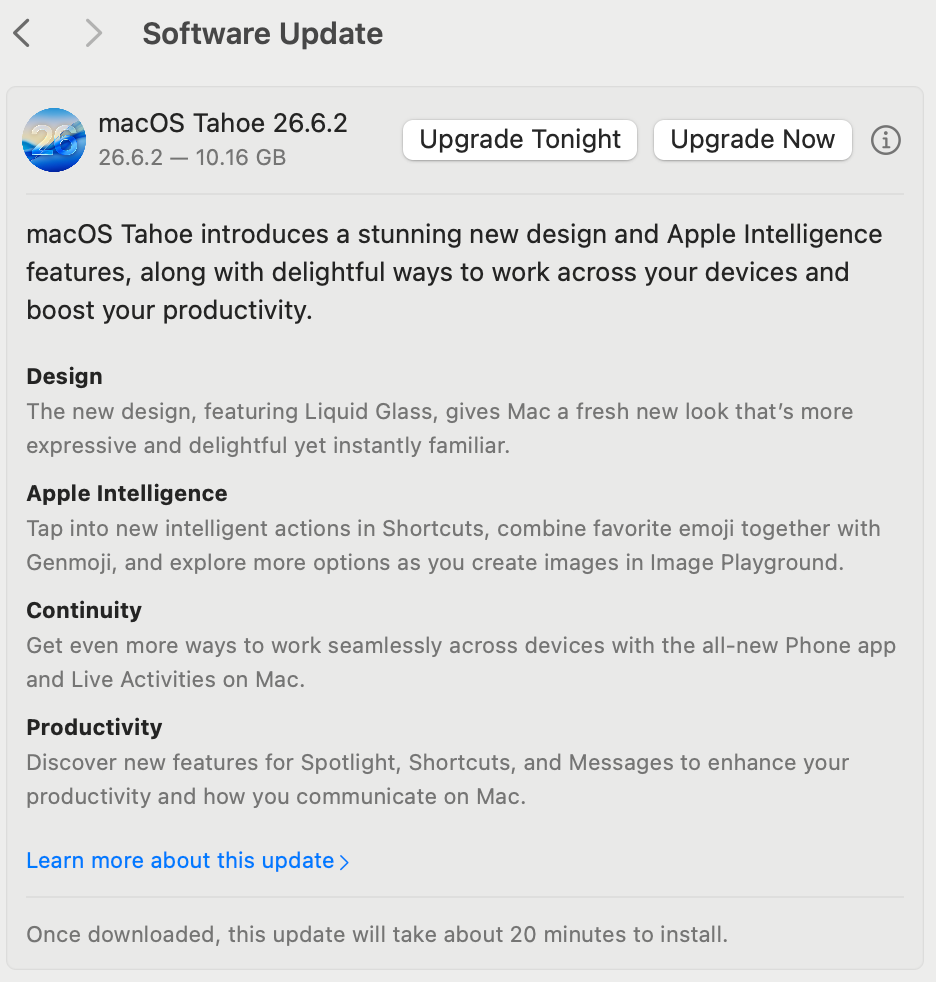
The core updates center on two fronts: the most significant UI evolution since Big Sur with Liquid Glass, and the transformation of Apple Intelligence from showcase features into practical, day-to-day Shortcuts automation.
A Transparent Menubar and the ‘Liquid Glass’ Design Language
The first noticeable change is the new aesthetic known as Liquid Glass. The menu bar has transitioned to a completely transparent appearance, seamlessly blending into the desktop wallpaper and visually expanding display real estate.
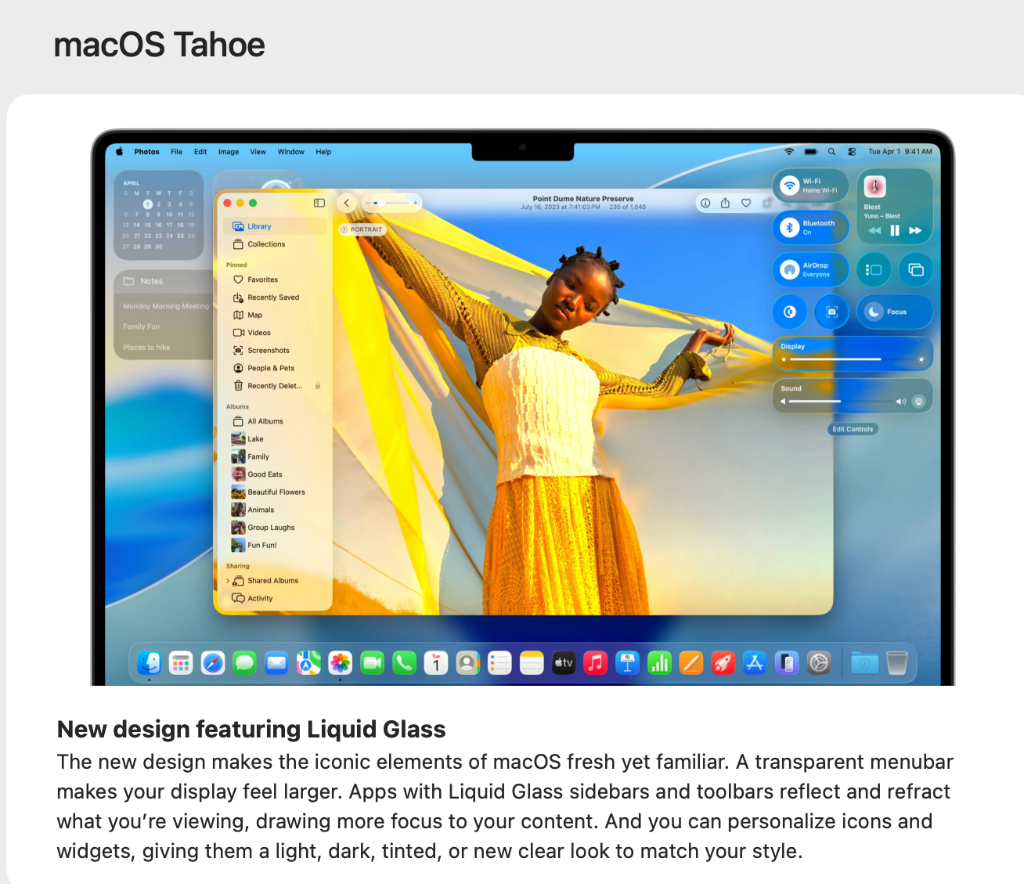
Key native applications including Photos feature Liquid Glass sidebars and toolbars that refract and reflect background light and wallpaper tones in real time, keeping visual focus oriented toward the active workspace.
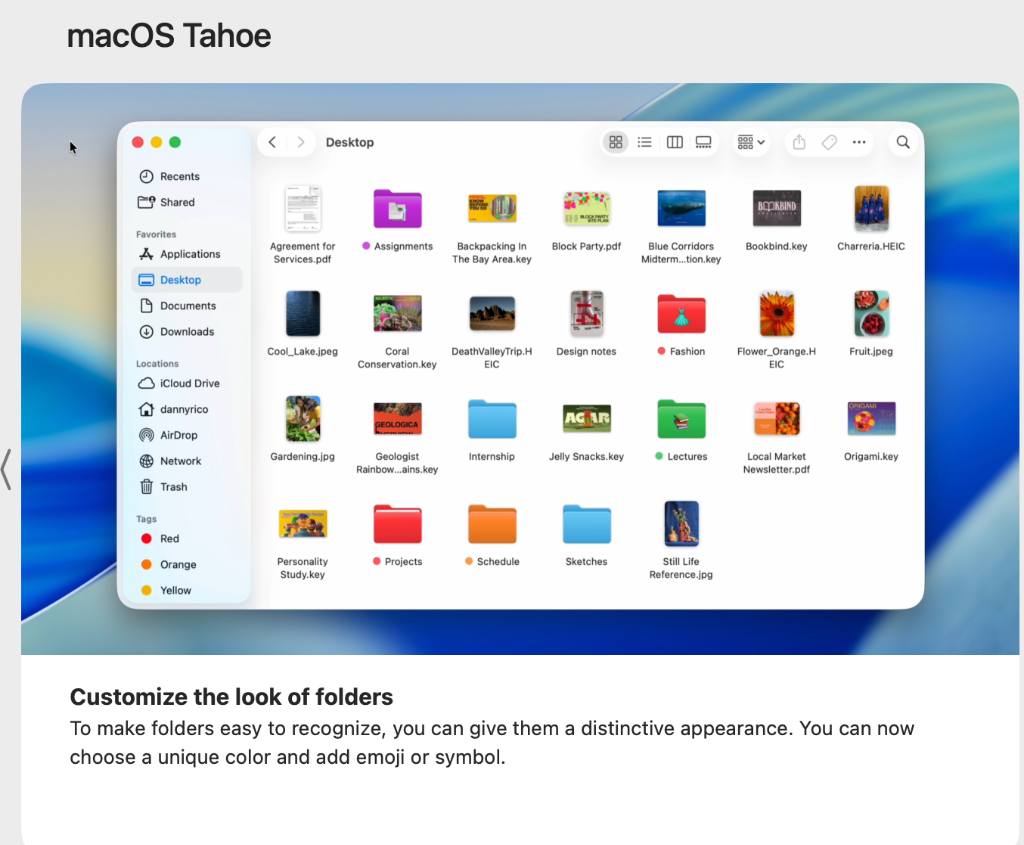
Native Folder Appearance Customization in Finder
Mac users previously had to rely on Get Info (Cmd+I) workarounds or third-party tweaks to customize folder icons. In macOS Tahoe, Finder introduces native folder styling: users can assign distinctive folder colors, emoji, and symbols directly from the interface, making desktop organization far more intuitive.
Modular Control Center with Window Tiling Controls
The Control Center has been redesigned into clean modular glass tiles. Quick controls for Wi-Fi, Bluetooth, Now Playing, and Display sliders are placed with comfortable touch and click spacing.
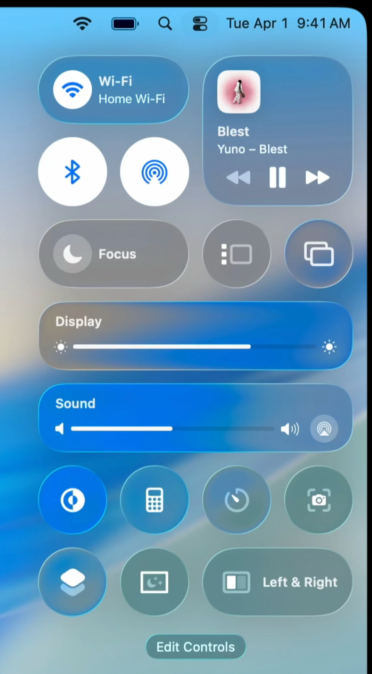
Notably, a new ‘Left & Right’ window tiling toggle sits directly in Control Center alongside an ‘Edit Controls’ button, letting users personalize quick toggles—such as Dark Mode, Calculator, Timer, and Screen Capture—similar to iOS Control Center.
Apple Intelligence in Shortcuts: Pragmatic Workflow Automation
The most impactful addition for Mac power users is the tight integration of Apple Intelligence into the Shortcuts app. Rather than relying on standalone chat dialogs, intelligent actions now function as modular pipeline blocks. The featured ‘Check Notes’ shortcut illustrates this capability:
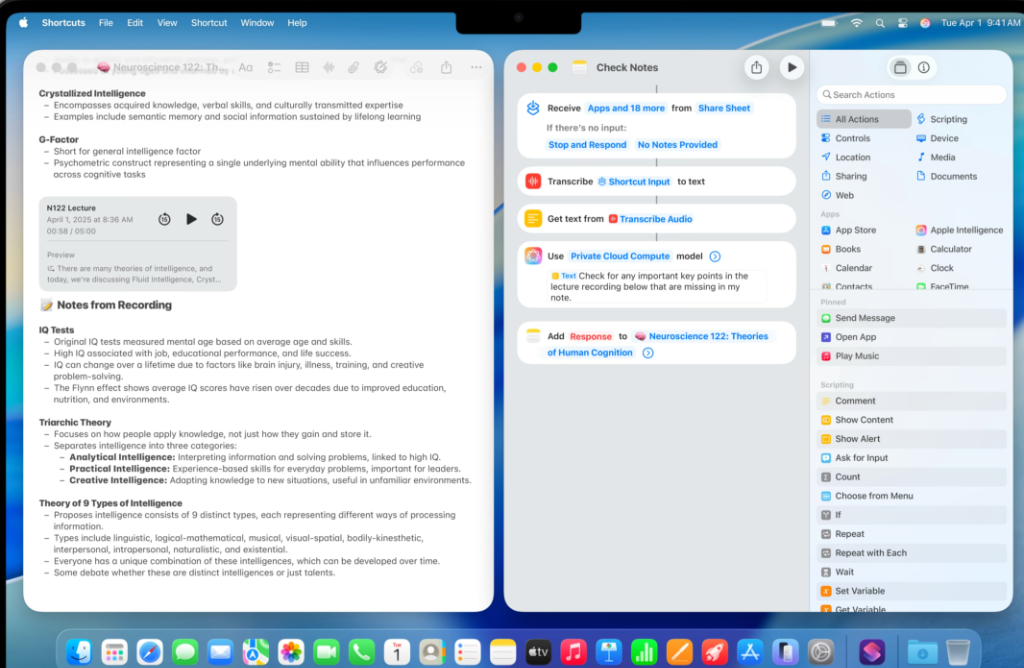
- On-Device Audio Transcription: Transcribes recorded audio directly from Share Sheet or file input into text.
- Private Cloud Compute (PCC) Model Action: Routes the transcription securely to Apple's Private Cloud Compute models.
- Intelligent Prompt Synthesis: Prompts the model with: “Check for any important key points in the lecture recording below that are missing in my note.”
- Seamless Append: Automatically merges synthesized results into the corresponding note in Apple Notes.
This consolidates what previously required external transcription tools like MacWhisper and manual LLM copying into a single, native background action.
Continuity & Productivity: Native Phone App and Live Activities
Cross-device continuity receives two major additions. A standalone Phone app brings call history, contact dialing, and audio calling directly to macOS without requiring iPhone Mirroring. Furthermore, Live Activities now surface flight trackers, delivery updates, and active timers right on the Mac desktop.
How to Update and Pre-installation Checklist
macOS Tahoe 26.6.2 is available via Apple Menu () ▸ System Settings ▸ General ▸ Software Update.
- Storage Requirements: With a 10.16 GB installer payload, ensure at least 25–30 GB of free storage for seamless download, extraction, and verification.
- Menubar Utility Compatibility: Due to the transparent menubar and revised Control Center architecture, third-party utilities like Bartender or Ice may require updates to avoid visual overlap. Test non-critical workflows or verify patch availability before upgrading primary production machines.