
Apple's built-in Preview app is fine for inspecting a single image, but the moment you need to review and cull hundreds of shots after a photo session, its workflow quickly shows limitations. Panning around while maintaining zoom, toggling between comparison views, and tagging keepers without latency often feels clunky.
On the other end of the spectrum, firing up Lightroom Classic or Capture One just to pick keepers feels excessively heavy, requiring catalog creation and background indexing. SnapView is a free native macOS image viewer built explicitly to bridge this gap: open images instantly, inspect details at 100% zoom, and cull keepers with rapid keyboard shortcuts.
A fast, lightweight photo viewer and culling tool with instant zoom, filmstrip navigation, and Lightroom XMP sync.
Seamless Navigation: Single, Grid, and Filmstrip
SnapView keeps photo culling fluid by letting you switch between Single View, Grid View, and Filmstrip mode with single keystrokes. In Single View, you can zoom into 100% or 200% detail and advance to the next image while locking the zoom level—an essential capability for quickly checking eye focus across burst sequences.
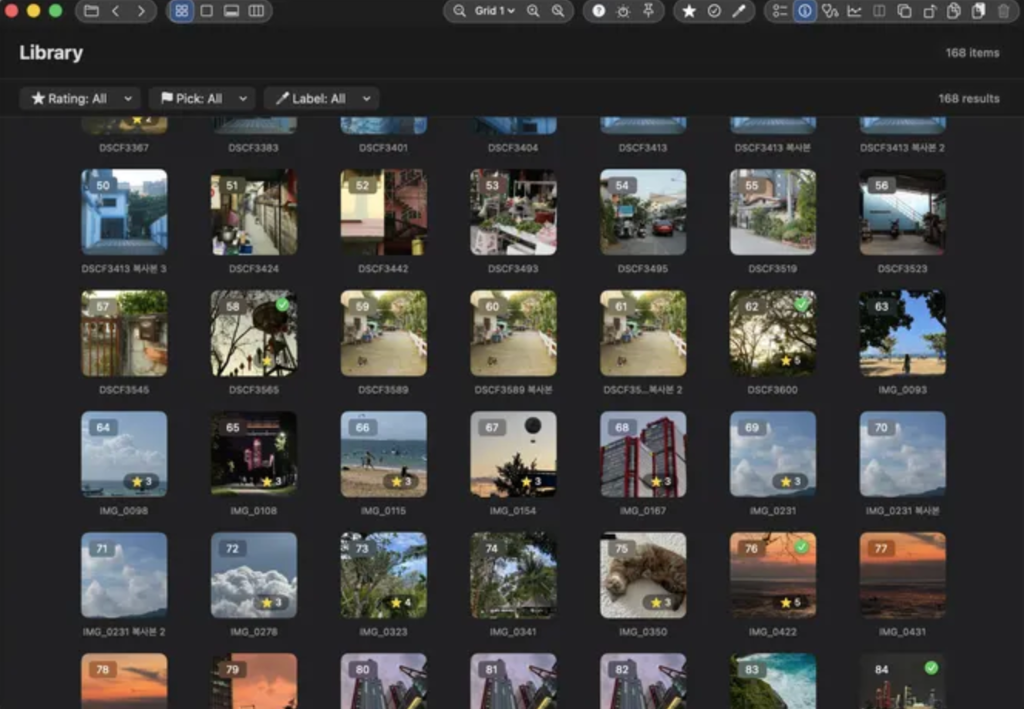
Keyboard Culling and Lightroom XMP Synchronization
Unlike simple viewers, SnapView is designed around culling. You can assign star ratings (1–5) and pick/reject flags using familiar shortcuts. These metadata tags synchronize with Finder tags and standard Lightroom XMP sidecar files, allowing you to cull raw shoots in SnapView before importing only selected keepers into your editing catalog.
You can also open entire folders or compressed ZIP archives directly without manual extraction, saving both SSD wear and temporary storage.
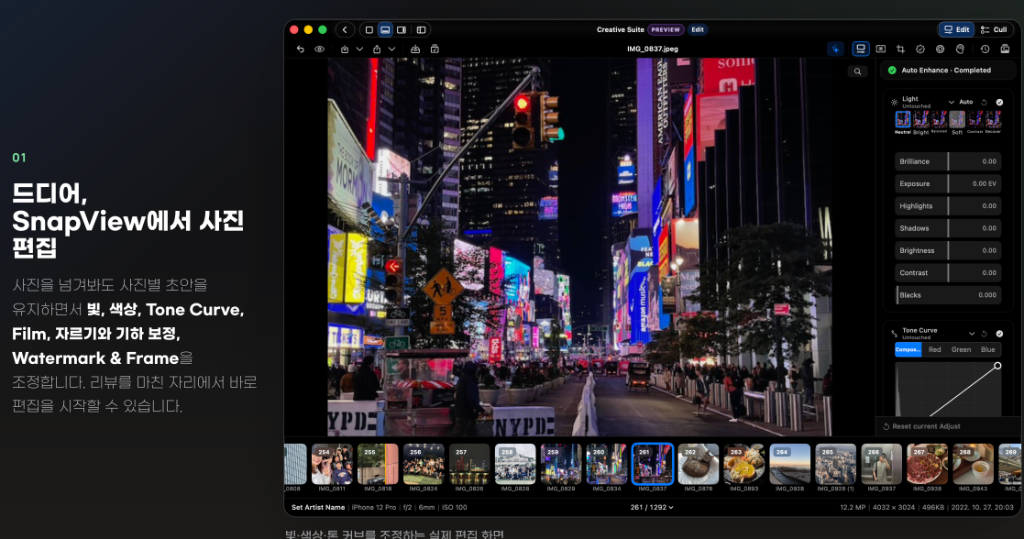
Key Improvements in Version 0.10.4
The v0.10.4 release refines daily usability based on real photographer feedback:
- Finder Natural Sorting: File sequences with numbers now sort naturally (e.g., photo-1, photo-2, photo-10) across folders, ZIPs, and RAW+JPG pairs.
- Instant Selection Feedback: Grid view clicks respond immediately without waiting for double-click timeouts, and filmstrip arrow-key navigation updates focus seamlessly.
- Reliable Canvas Restoration: Reopening files from the Dock or Finder after closing the main window (⌘W) now recovers the active canvas instantly without blank states.
| Feature | macOS Preview | SnapView (v0.10.4) | Lightroom Classic |
|---|---|---|---|
| Price | Free (Built-in) | Free | Monthly Subscription |
| Startup Speed | Instant | Fast & Native | Heavy (Catalog loading) |
| Culling Shortcuts | Limited | Star Ratings, Pick Flags, Trash | Full Professional Toolset |
| XMP Sidecar Sync | No | Yes (Lightroom compatible) | Yes |
| Direct ZIP Viewing | No (Requires unzip) | Yes | No |
Who Should Use SnapView?
SnapView is an ideal choice for photographers who shoot high-volume bursts and need to discard out-of-focus shots before committing to raw editing, as well as anyone who wants a fast image viewer that handles ZIP files and natural filename sorting cleanly without subscription fees.